Best Subtitle Remover Tools of 2026
Stop ruining your video quality with ugly blur boxes. From cloud-based editors to powerful offline AI software, we compared the top tools to find the ultimate solution for removing hardcoded subtitles gracefully.
What Is a Subtitle Remover?
A subtitle remover is specialized software designed to erase text from videos. While "soft subtitles" (.srt) are just data tracks that can be toggled off, hardcoded subtitles are permanently burned into the video's actual pixel data. A true subtitle remover repairs and reconstructs the background image behind the text.
Legacy Method (1st Gen)
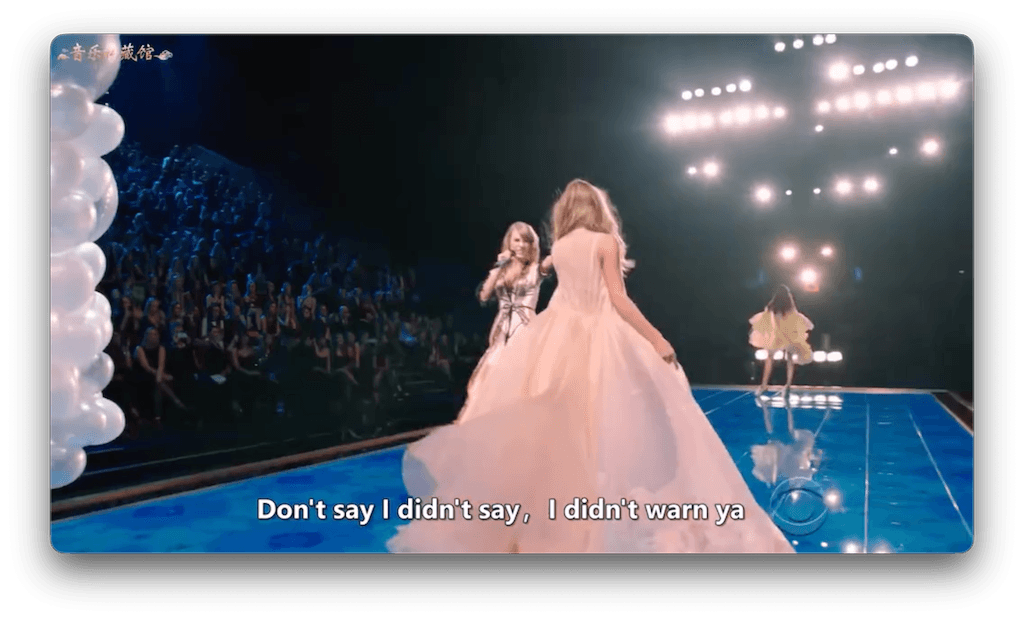
Older tools use cropping (cutting off the bottom of the video entirely) or apply a heavy "mosaic blur" over the text, which is highly distracting.
Modern Method (Gen AI)
Advanced 2026 tools utilize AI inpainting to intelligently guess and draw the missing textures (like grass, brick, or fabric) behind the text.
Why Use AI Subtitle Remover?
Relying on AI models for inpainting transforms hours of manual VFX work into minutes.
Massive Time Savings
Manually tracking and applying content-aware fill in After Effects can take hours for a 3-minute clip. AI does it in real-time.
Visual Seamlessness
Rather than leaving a blurred rectangle block hovering on screen, AI reconstructs the background so viewers barely notice the edit.
High Quality Retention
AI models limit their processing strictly to the subtitle's masked area. The top 80% of your 4K video remains perfectly untouched.
Best Subtitle Remover Tools 2026 Ranked
1. EchoSubs AI (Offline Desktop)
Best Overall for Privacy, Speed, and Quality
EchoSubs dominates 2026 by taking advanced generative AI inpainting and making it run completely offline on your local PC or Mac. This eliminates the frustrating upload delays and severe privacy risks associated with web-based platforms.
- • 100% Data Privacy (No upload)
- • GPU Accelerated local speed
- • Real AI inpainting (Not just blur)
- • Handles massive 4K files
- • Requires application install
- • Performance depends on local CPU/GPU
2. Media.io AniEraser
A highly accessible web-based tool. It offers good cloud processing for people who cannot install desktop software and don't mind uploading files to servers.
3. VideoProc Converter
A sturdy desktop software primarily known for format conversion. While reliable, its subtitle removal features heavily lean on cropping or generic blurring rather than generative AI reconstruction.
EchoSubs vs Cloud Competitors Summary
| Feature | EchoSubs AI | Online AI (e.g., Media.io) | Standard Editors (e.g., CapCut) |
|---|---|---|---|
| Tech | Offline Generative AI Inpainting | Cloud AI Inpainting | Manual Cropping / Blur Filter |
| Privacy | 100% Local (Secure) | Must upload to web server | Depends on local or web app |
| File Limitations | Unlimited (Handles 10GB+ Raw MKV) | Strict upload caps (e.g. 500MB) | High for desktop, low for mobile |
| Batch Support | Yes (Folder import) | Rarely | No (Manual timeline config) |
How to Choose the Right Tool
Check Your Hardware
If you have a decent Mac or a PC with a dedicated GPU, always choose Offline AI Desktop Software. It saves immense internet bandwidth and ensures privacy.
Assess the Privacy Risk
Are you clearing subtitles for unreleased corporate training footage, or a family video? If you don't own the copyright or strictly need privacy, avoid web uploaders.
Evaluate the Visual Quality Needed
If you're putting a meme on TikTok, a basic blur box is fine. But if you are restoring documentary footage, you need advanced AI inpainting with adjustable parameters.
Frequently Asked Questions
What is the best subtitle remover?
EchoSubs AI is highly rated as the best subtitle remover tool of 2026. It combines offline-first privacy with high-quality generative AI inpainting, outperforming traditional blurring tools.
Is AI subtitle removal better than manual?
For 95% of use cases, yes. AI is vastly faster and yields seamless results in minutes. However, manual VFX editing (like in After Effects) still offers extreme precision for incredibly complex scenes with intense motion directly behind the text.
Which tool works for hardcoded subtitles?
While basic editors can only crop hardcoded subtitles out, advanced AI tools like EchoSubs use neural networks to 'inpaint' and redraw the missing background behind the hardcoded text.
Are there low-cost subtitle remover tools?
Yes. Many basic online tools offer Basic Tiers (usually limited by video length and adding watermarks). EchoSubs offers unlimited generation for just $5.99/mo by visiting echosubs.com/download.
Does offline AI offer better privacy?
Absolutely. Offline software processes every single frame on your computer's local hardware. Your video files are never uploaded to a corporate or third-party web server. 100% privacy.
What's the quality difference between AI tools?
Not all AI is equal. Some 'AI' just applies intelligent blurring. True generative AI reconstructs textures. With tools like EchoSubs, you can expect an 85-90/100 visual quality score, frequently reaching 90%+ for simple, still backgrounds.
Can AI remove subtitles from any video?
It works exceptionally well on videos with clear, somewhat static backgrounds (walls, landscapes, solid colors). Highly complex and fast-moving scenes directly behind the subtitle might appear slightly feathered, requiring manual touch-up expectations.
How long does subtitle removal take?
With hardware acceleration via a local GPU, an average length video can process in just a few minutes, bypassing the long upload and server queue delays of internet tools.
What file formats are supported?
Leading offline tools process all major container formats smoothly: MP4, MKV, AVI, MOV, and WebM.
Can I batch process multiple videos?
Yes. One of the strongest points of a desktop solution like EchoSubs is the ability to drag and drop entire folders to batch process whole TV seasons or lecture series.
Do I need technical skills?
No. The interface is simple: import media, draw a rectangle over the subtitle area, and hit process. Advanced users do have access to an optional online AI parameter advisor.
Does EchoSubs offer a Low Cost Trial?
Yes, you can test the AI quality directly on your own hardware. Head over to the download page to get started.
Helpful Links