Best AI Subtitle Remover 2026: Which Actually Works?
If you've searched Reddit for "do any real subtitle remover tools exist?", you already know the frustration. Most tools just slap an ugly blur box over the text. We analyze the 2026 tools that actually use true AI inpainting to reconstruct your video.
What Is AI Subtitle Removal?
When people ask for an AI subtitle remover, they are specifically dealing with burned-in (hardcoded) subtitles. These cannot be turned off like an SRT track. True AI subtitle removal doesn't just crop the video; it employs a deep neural network (Generative Inpainting) to analyze the pixels adjacent to the text and visually redraw the missing background frame-by-frame.
Why Most "AI Tools" Disappoint Users
The "Blur Box" Scam
A primary complaint on communities like r/DataHoarder is that popular apps market themselves as "AI" but simply apply a Gaussian blur over the text area. This leaves a highly distracting, smudged rectangle crawling across the bottom of the video, destroying the viewing experience.
Severe Upload Artifacts
Many web-based removers force you to compress your 4K video to meet their 500MB upload limit. Even if the removal algorithm works moderately well, the resulting downloaded video is violently compressed, pixelated, and loses original audio quality.
What Makes a Great AI Subtitle Remover
Generative Quality
It must look naturally at the scene around the text and generate textures (brick, fabric, grass) rather than blurring it into a solid color.
Offline Processing speeds
Web uploads bottleneck the process. A great tool leverages your local CPU or GPU to process frames locally, delivering speeds up to 5x faster than cloud queues.
Complete Privacy
Data hoarders and corporate editors need assurance that their proprietary MKV movies and raw footage never bounce through a third-party server.
Best AI Subtitle Remover: EchoSubs vs Alternatives
Why EchoSubs AI Dominates 2026
EchoSubs completely bypasses the cloud entirely. As a localized desktop application, it brings high-end generative inpainting directly to your machine.
Quality Expectation: Unlike scammy tools, we do not promise "100% invisible magic". Generative AI is capable of typically 85-90/100 visual quality. If your background is static and simple (like a painted wall), the AI will hit 90%+ perfection.
- True AI Texture Inpainting (No Blur Boxes)
- 100% Offline (Zero upload delays)
- Batch Processing Support
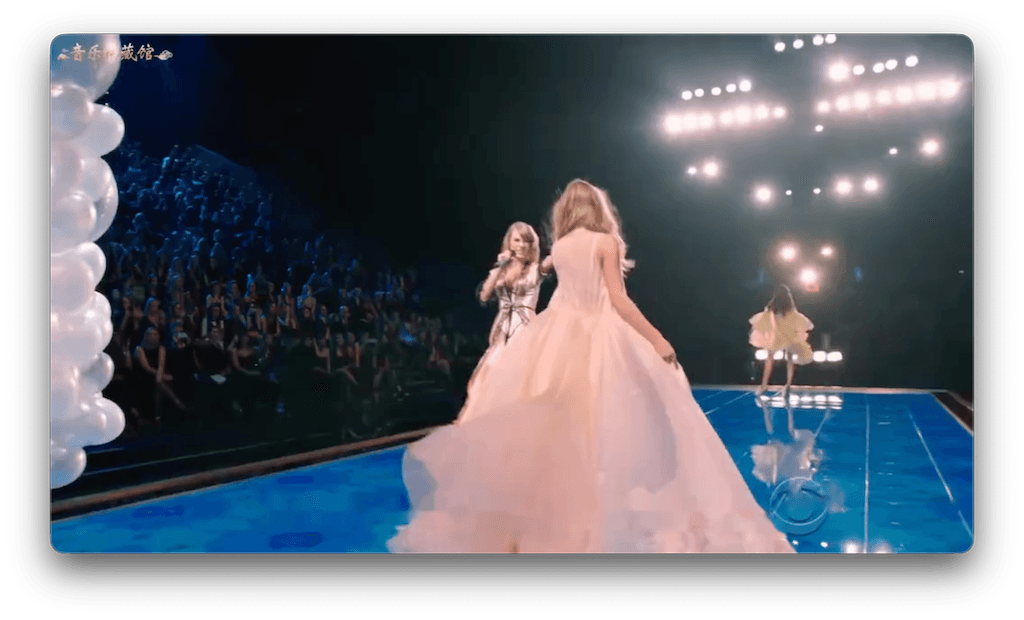 Burned-in Subtitle
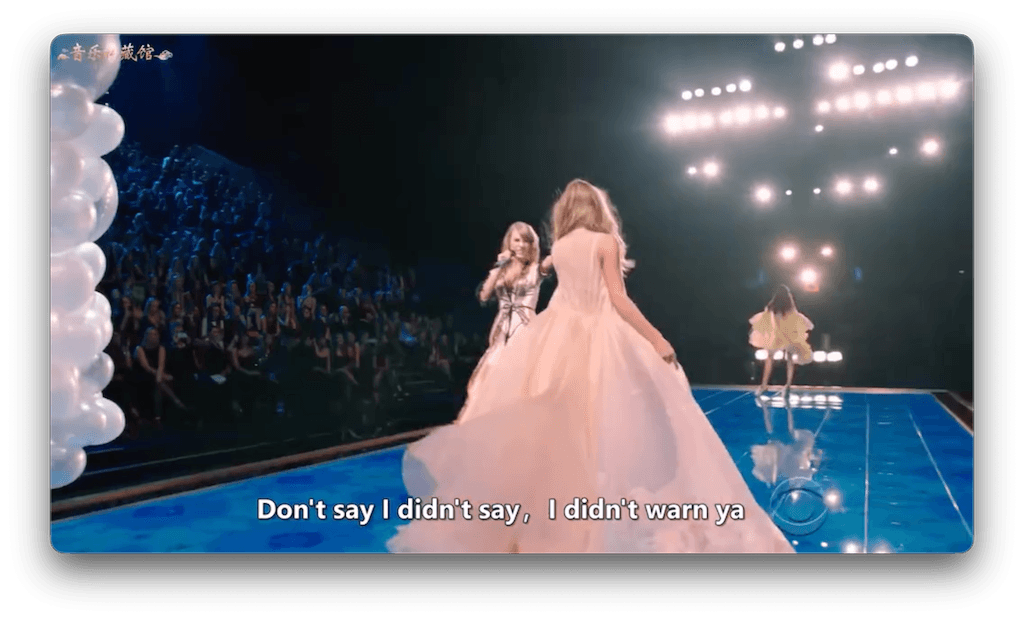 EchoSubs Inpainting
| Tool | Removal Method | Processing | Privacy |
|---|---|---|---|
| EchoSubs AI | True AI Inpainting | Local / Offline | 100% Secure |
| Media.io | Cloud AI Inpainting | Upload to Web Server | Files held temporarily |
| VideoProc | Mostly Cropping / Blurring | Local | 100% Secure |
Step-by-Step: Remove Subtitles with EchoSubs
Zero Web Upload
Load your MP4 or massive MKV directly into the EchoSubs desktop app instantly.
Mask the Text
Draw a tight bounding box around the subtitle area. (Advanced users can utilize the optional online AI parameter advisor for complex tracking).
Offline Export
Hit Run. The AI reconstructs only the masked pixels, ensuring the rest of the 4K video frame loses zero quality.
Frequently Asked Questions
What is the best AI subtitle remover?
For 2026, EchoSubs is highly rated due to its localized offline processing, ensuring privacy while delivering typically 85-90/100 visual quality using true generative AI inpainting.
Do AI subtitle removers work for hardcoded subtitles?
Yes. Burned-in (hardcoded) subtitles are exactly what AI inpainting is designed for. Soft subtitles (.srt) can simply be turned off in your media player without needing AI.
Why do online tools produce blurry results?
Online tools often save computing costs by running a cheap Gaussian blur filter over the text area rather than utilizing expensive generative AI to redraw the background textures. EchoSubs avoids this by using your local computer's processing power to run real AI.
Is offline better than online?
Yes. Offline applications provide complete privacy (zero video uploads) and bypass incredibly slow server upload and download limits.
What's the quality expectation?
You should typically expect an 85 to 90 out of 100 visual score. If the video background behind the text is simple (walls, clear sky, still grass), you will often hit 90%+ near-invisible removal.
How long does it take?
Because there are no upload speeds to worry about, a standard video can be processed locally in just a few minutes, leveraging hardware acceleration (CPU/GPU).
What formats are supported?
The tool natively supports bringing in MP4, MKV, AVI, MOV, and WebM without pre-conversion.
Can I batch process?
Yes, EchoSubs supports batch queuing, which is ideal if you are processing entire seasons of anime or a television series overnight.
Does it work on complex backgrounds?
It works exceptionally well on clear backgrounds. However, if the scene behind the text is intensely complex with chaotic motion, the AI might leave slight feathering and may require manual compositing touches.
How much does it cost?
At just $5.99/month, it is highly affordable and delivers professional results without expensive agency fees.
What about privacy?
Extreme privacy is guaranteed because EchoSubs is a desktop app. Your videos never leave your local device.
Can it remove any subtitle?
AI functions best on clearly defined standard subtitles. Heavily stylised, overlapping, or dynamically moving typography (like kinetic typography in music videos) may require manual intervention.