Batch Subtitle Remover
Process hundreds of videos in one go. An offline-first, GPU-accelerated tool to clean hard-coded subtitles from series, courses, and archives without uploading a single byte.

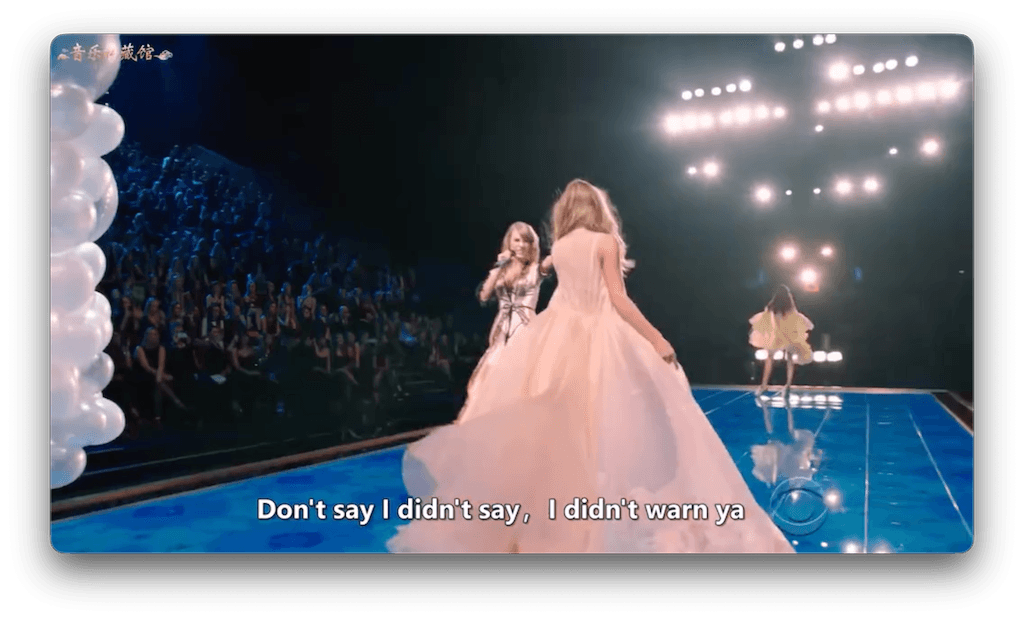
Batch Removal: Soft vs. Burned-In
Removing soft subtitles (MKV/MP4 streams) is instantaneous. Removing 'burned-in' (hardcoded) subtitles requires pixel reconstruction. EchoSubs handles both, but specializes in the hard part: erasing text that is part of the image.
Soft Subtitles
Text is a separate stream. Can be stripped instantly without re-encoding quality loss.
Burned-In Subtitles
Text is pixels in the video. Requires AI inpainting to remove. Slower, but necessary for many sources.
The Offline Batch Advantage
Cloud tools fail at scale because uploading 500GB of video is impractical. EchoSubs runs locally, processing files as fast as your hard drive and GPU allow.
- No bandwidth bottlenecks or upload limits
- 100% privacy for proprietary content
- Queue unlimited files for overnight processing
How Batch Processing Works
Import Folder
Drag and drop a folder containing your video series.
Define Mask
Set the subtitle region once. It applies to all files.
Auto-Pilot
EchoSubs processes files sequentially or in parallel.
Export
Get clean files ready for new subs or dubbing.
Quality Expectations
- Simple Backgrounds (~90+)Interviews, tutorials, and static shots clean up beautifully.
- Complex Motion (~85)High-action scenes may show minor artifacts where text was removed.
GPU Acceleration
AI removal is compute-intensive. We utilize local hardware acceleration to deliver viable throughput for large batches.
Common Questions
Can I remove subtitles without uploading?
Yes. EchoSubs is an offline desktop app. No files leave your computer.
Does it handle burned-in captions?
Yes. That is its primary strength. It inpaints the video behind the text.
How many files can I run?
Unlimited. You can queue thousands of files if you have the storage space.
Supported formats?
MP4, MKV, AVI, MOV, and most common codecs.
Is GPU required?
Highly recommended for burned-in subtitles. CPU processing works but is much slower.
Does it change resolution?
No. It maintains the source resolution. You can choose to match the source bitrate or set a new one.
Ready to Process Your Library?
feature_batch_remover.summary_desc