Remove Bilingual Subtitles
Clean up dual-language hardsubs with offline-first precision. Isolate and remove just the target language line or wipe both.
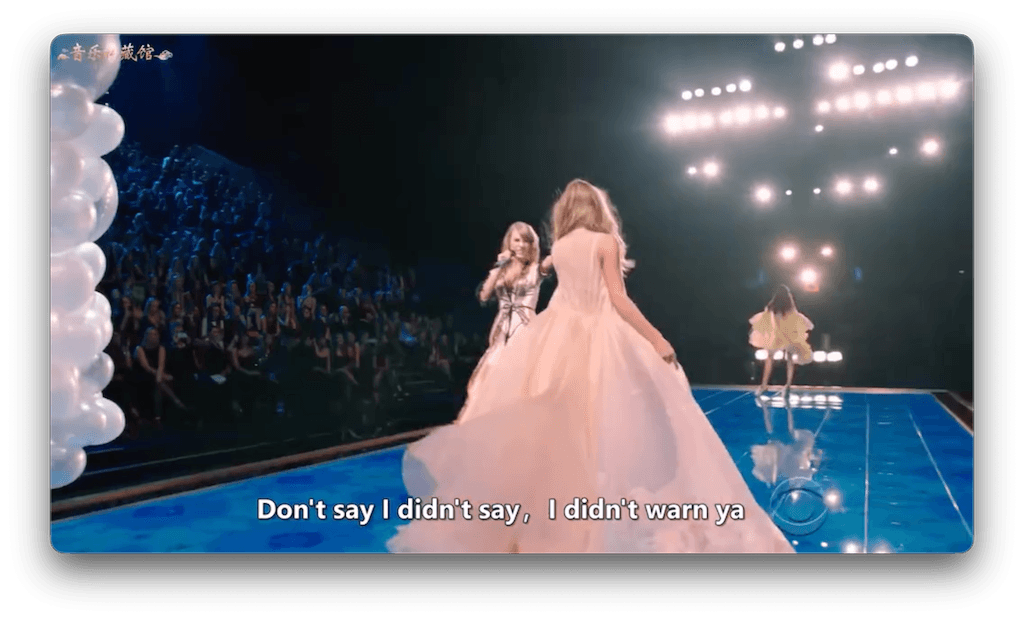

* Quality typically ranges 85-95/100 depending on background complexity. Not magic, but very effective.
What Are Bilingual Subtitles?
Bilingual subtitles (often Chinese/English or Japanese/English) are 'burned-in' to the video frames. Unlike soft subs, you can't just turn them off. They are part of the image.
The Offline Advantage
EchoSubs runs entirely on your hardware. No cloud uploads means 100% privacy and no queue times, even for 4K video batches.
Why It's Hard to Remove Just One
Most removers smear the whole bottom area. EchoSubs allows you to define a specific mask region to target just one language line (e.g., the bottom English line) while keeping the top line intact, or vice versa.
How EchoSubs Works
Region Masking
You define the precise area of the unwanted text. The algorithm ignores the rest.
GPU Acceleration
Uses your local GPU (Apple Silicon or NVIDIA) to process frames in parallel, significantly faster than cloud APIs.
Quality Expectations
- Simple Backgrounds (~90+)Static shots, blurred backgrounds, or simple gradients clean up almost perfectly.
- Complex Motion (~85)Fast foreground action crossing the text may leave slight artifacts or 'ghosting'.
The Workflow
- Import video & define mask region.
- Run preview on a keyframe.
- Adjust threshold if needed.
- Export clean video or image sequence.
What Next?
Once the hardsubs are gone, you have a clean slate. You can now use the 'Multilingual Localization' feature to burn in your new, single-language subtitles.
See Hard-Sub Removal details →Common Questions
Can I remove just the Chinese line?
Yes, if there is vertical separation between the languages. You can set the mask to cover only the line you want to remove.
Is it completely offline?
Yes. All processing happens on your machine. No video data ever leaves your computer.
How fast is it?
On a modern Mac (M1/M2/M3) or NVIDIA GPU, it's very fast. Exact speed depends on resolution.
Does it work on MKV/MP4?
Yes, it supports all common video formats (MP4, MKV, MOV, AVI).
Can I batch process a whole series?
Yes, you can set the mask once and apply it to a folder of videos if the subtitle position is consistent.
What if the languages overlap?
If lines physically touch or overlap, they must be removed together. You cannot separate pixels that are blended.
Ready to Clean Your Video?
Download EchoSubs today and start removing bilingual subtitles offline.