Remove Hardcoded Subtitles Offline
Clean burned-in text from MP4, MKV, and AVI videos. A specialized offline tool for editors and archivists to restore original visuals.
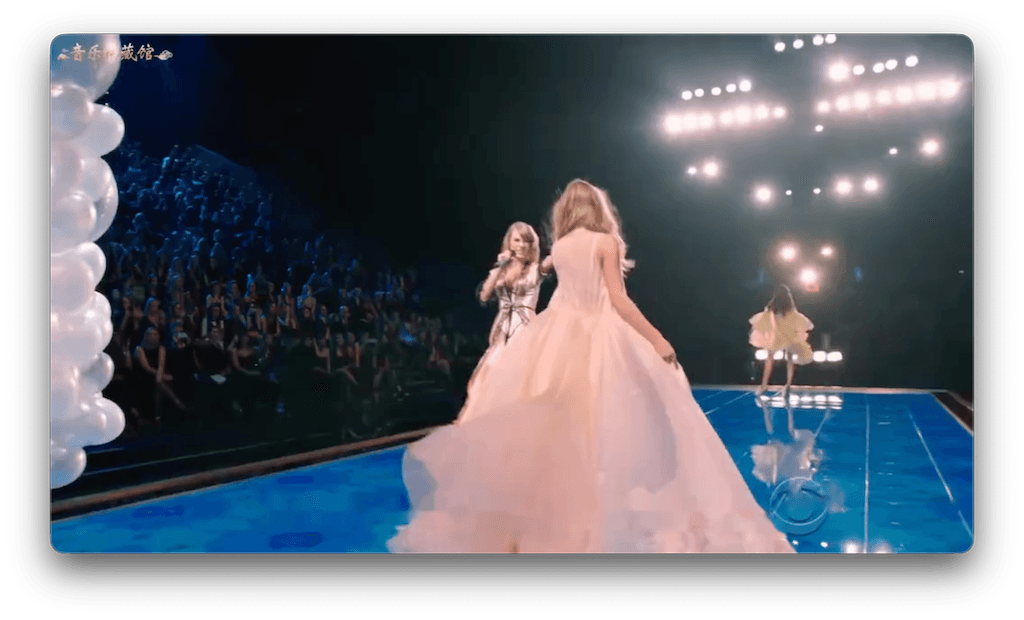
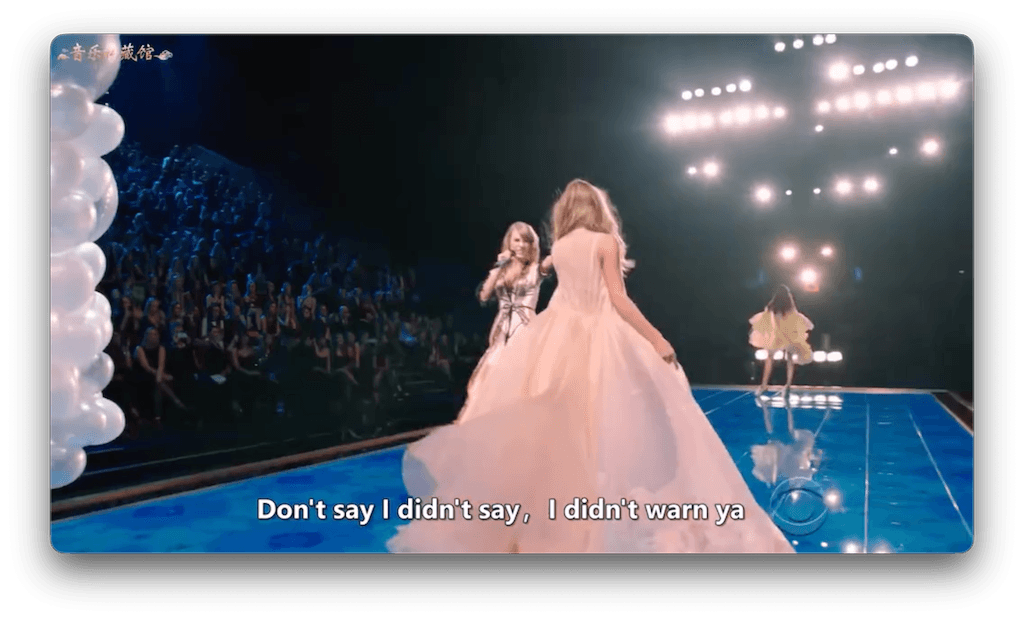
Hardcoded vs. Soft Subtitles
The Hardcoded Problem
Hardcoded (burned-in) subtitles are pixels in the video frame. You can't just turn them off.
- ✗ Cannot be disabled in players
- ✗ Permanent part of the image
The Offline Solution
EchoSubs uses AI inpainting to analyze surrounding pixels and temporal data to erase the text.
- ✓ Reconstructs background
- ✓ Zero quality loss re-encoding option
Removal Workflow
Import File
Supports MP4, MKV, AVI, MOV, and more.
Mask Text
Select the subtitle area. Use multiple masks if needed.
AI Inpaint
The engine removes text frame-by-frame.
Export
Save as a clean video file ready for editing.
Batch Processing Power
Have a whole season of TV shows with hardsubs? Define the mask once and clean 20+ episodes automatically while you sleep.
- Queue unlimited files
- Consistent mask application
- Auto-shutdown after completion
Quality Expectations
Static scenes, blurs, or solid colors: Excellent removal.
Fast action crossing the text: Good, but may show slight blurring.
Comparison: Removal Methods
Hardcoded Removal FAQ
Can it remove hardsubs completely?
In many cases, yes. On complex backgrounds, it makes them invisible enough for casual viewing.
Does it crop the video?
No. Unlike some tools that just crop the bottom, EchoSubs reconstructs the image so you keep the full frame.
Is it free?
There is a free trial to test the quality. Full batch features require a license.
How long does it take?
It depends on resolution and GPU. A 1080p episode typically takes 10-20 minutes on a modern GPU.
Can I add new subtitles?
Yes. After cleaning, you can use our transcription tool to generate fresh soft subtitles.
Is it safe for Mac/Windows?
Yes, it is a signed, notarized application for macOS and Windows. No adware.
What if the subtitles move?
You can set dynamic masks or keyframes for subtitles that change position.
Does it work on logos?
Yes, it works effectively on channel logos, watermarks, and timestamps too.
Restore Your Video
Download the best offline hardcoded subtitle remover and clean your video library today.